


Chat
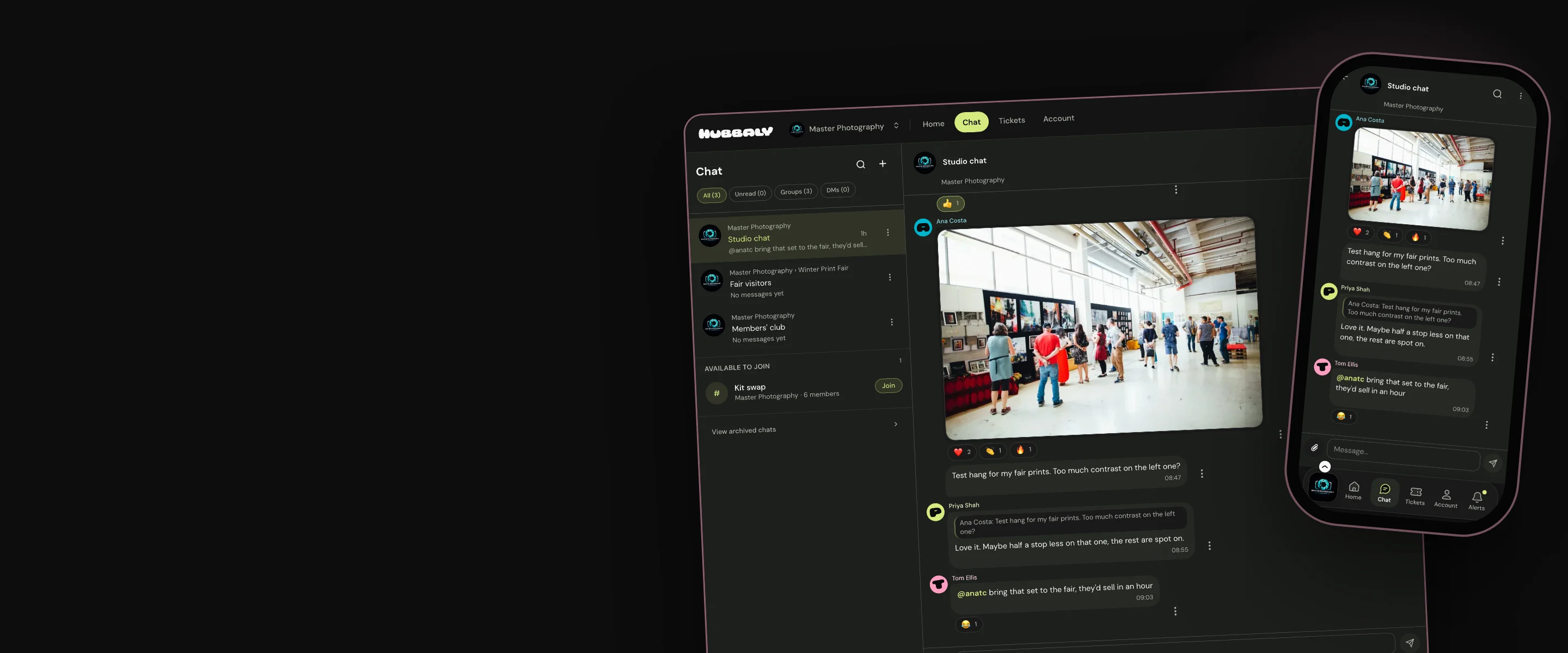
Chat with your community and staff
- Owners & admins
- Managers
- Members
The right people in every chat, with nothing to manage.
Keep your event, community and staff conversations between the people they concern, so everyone stays in the loop with their data protected.

Why organisers use it
No lists to keep up to date
Chat channels on third party apps are disconnected from community membership and event privacy rules. Their membership has to be manually updated and most strip users data and chat details from their users for their own gains.
Built for your events
We want your chat channels to support your community and staff and enhance your event operations, without sacrificing your data security or requiring additional management.
Private by default
People take part by their name and username. Phone numbers and email addresses are never shown, and each person chooses who can see their profile photo. The messages, photos and videos shared in your chats are never used for AI learning, marketing or sales to third parties.
How it works
Chats for the people you choose
Create chats for targeted groups: your members, your staff, event attendees, or specific groups. All stay current as your membership and event lists change.

Added for them, or they join
You decide whether to add eligible people automatically, or allow people to join themselves.

Real conversations
Chats include replies, reactions, photos, short videos, GIFs and mentions.

Each person chooses
Each member of a chat can:
- Set personal notification choices.
- Agree to direct messages between accepted contacts.

Our promise
We help you connect with all the groups of people you need to talk to when running events and building a community. Our chat permissions recognise your current hub and event data, saving you time and ensuring personal and chat data stays secure.
Limits to consider: We have deliberately not included rankings or follower-style engagement features in our chat channels. They are designed for genuine conversations.
Questions organisers ask
How do you join a chat?
If you are eligible to take part in a chat, you will either be added to it automatically or you can find a list of chats you may join in each hub chat area.
Can I mute a busy chat?
Yes. You can also decide what you’ll be alerted to in a chat using your account settings.
If I report something from a chat, who receives it?
The hub owners and admins are alerted to your report. They can review your complaint and the original post and make their decision.