




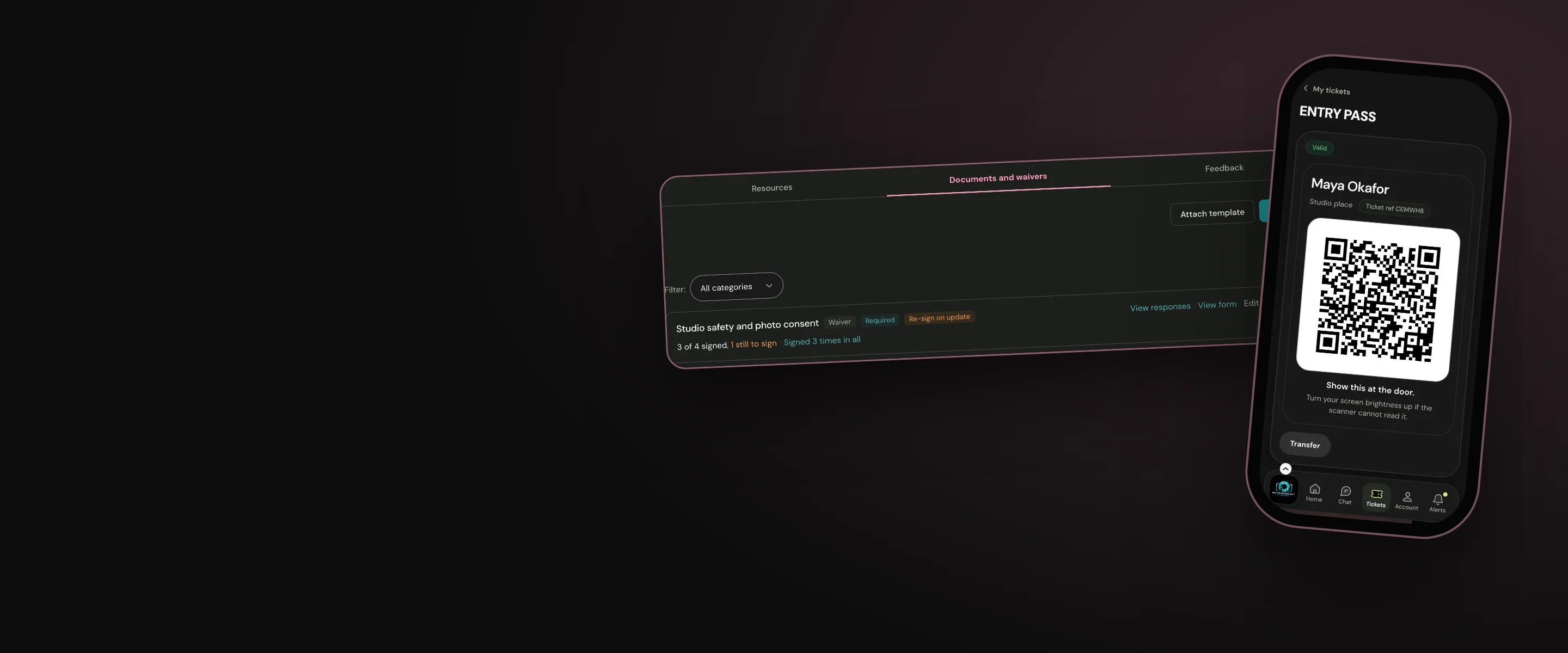
Forms & waivers
Integrated documentation
Create unique documents or reusable templates decide which are optional and which are required for entrance to your hub and events
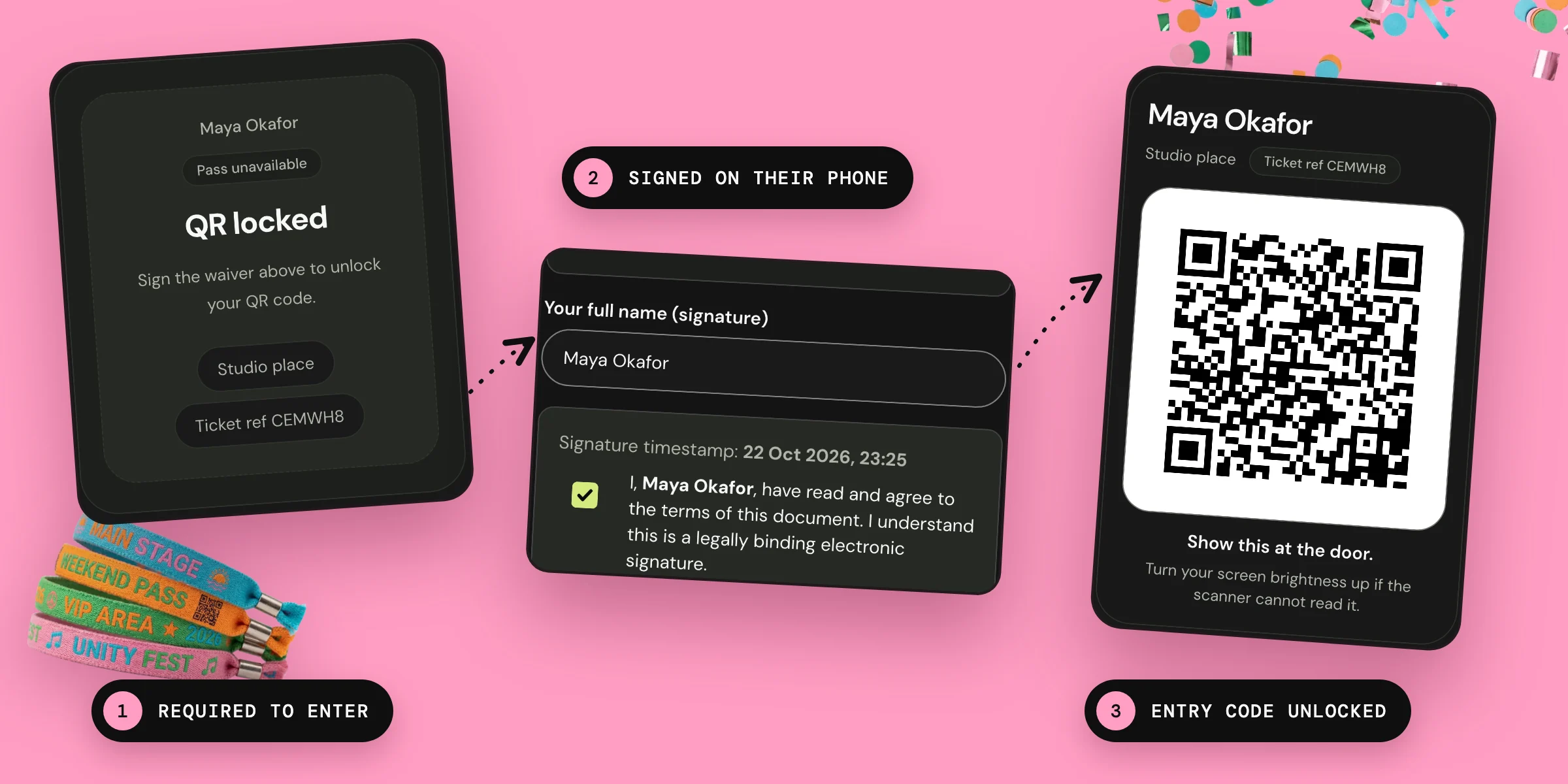
Make your forms the gatekeepers
When forms, documents and waivers are managed in separate systems to your tickets and members’ records you have a lot more admin to ensure that every event attendee has signed, and your records are accurate. Ours are different.
Required forms, documents and waivers become the secure gatekeepers of your hub and events:
- Once you have set up your essential forms, documents and waivers they are distributed when they are needed and the responses recorded without any further intervention from you. You can track their completion and access their contents in your hub and event admin tools.
- If you want new members to complete a form to join your hub they will not be granted access until it’s submitted.
- When you need your members to sign a waiver before they attend an event or workshop their ticket QR code will not display until they have completed their waiver. Your door staff will know that every attendee who has a ticket with a QR code has completed all their documents without needing to do separate checks.

You can also add optional documents to an event, and send feedback forms to attendees after.
Limits
There is no offline mode. People need an internet connection to complete forms, documents and waivers. If attendees arrive at an event without completing their documents they will need a signal to do so. And if door staff are working in offline mode they will not be able to confirm required documents are completed until they regain a connection.
Our promise
We provide you with the tools to create all the forms, documents and waivers you need to run your community, and the ability to make them requirements of joining your hub or attending your events. You can keep track of their completion and drill into the details they contain whenever you want. A secure and automated system you can rely on to save you time and keep your records accurate.
Questions
I need to make some changes to a waiver that was released with my event tickets. Some ticket holders have already signed the old waiver. Can I get them to sign the new one?
Yes. Turn on Require re-sign on republish, then publish your new version. Current ticket holders will automatically receive an email that they have a new document to sign and their ticket QR code will not activate until they have done so.
When ticket holders who have completed their waivers transfer or release their ticket to the waitlist will the new attendee be required to complete the waiver?
Yes. Required documents are linked to tickets. When tickets change hands documents automatically reset and the new owner has to complete them before their QR code will activate.
Who has access to the information recorded in forms, documents and waivers?
Only hub owners and admins can access the content of completed forms, documents and waivers as standard. Event staff can be given the authority to access event documents when you set the permissions for their role. Your community members can review their own completed documents, but nobody else’s.