


Event guide
Your event page becomes the guide to the show
Coming soon.
- Owners & admins
- Managers
- Members
- Invitees
What's on, where it is, and what's next.
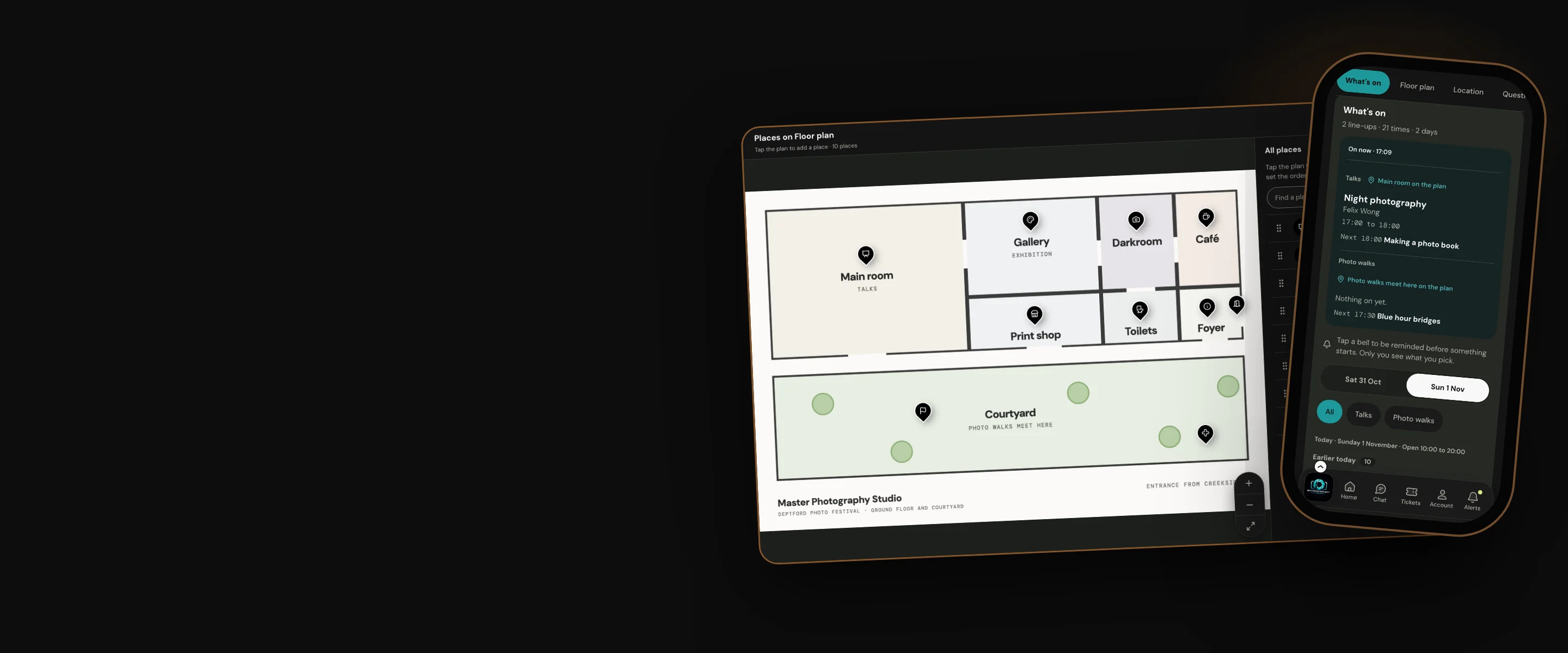
Line-ups that say what is on now, a floor plan with its places marked, an FAQ to search, and a plan with reminders for every visitor.
Why organisers use it
Answers before they ask
What is on now and next, where it is on the plan, and every question, on the page they already have open.
Built from what you have
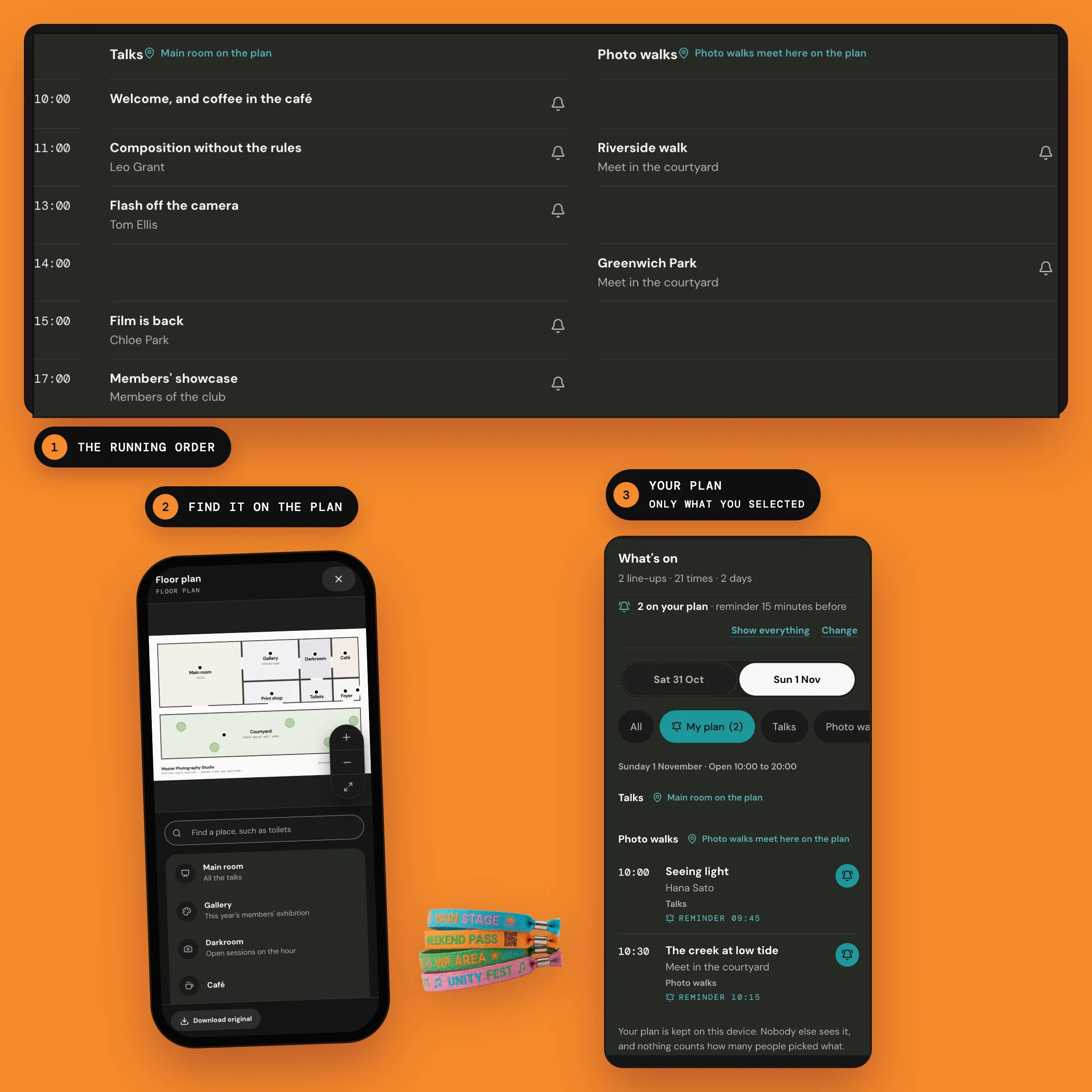
Paste your running order and turn it into a line-up. Upload your floor plan as a PDF or a picture.
Their plan stays theirs
Visitors tap a bell to be reminded. Nobody else sees what they pick, not even you.
How the guide works
What's on, now and next
Add your line-ups in Event admin, under Edit event and Event resources. Each one is a stage, a room or a set of walks.
On the day, What's on comes first on the event page. It says what is on now on each line-up, and what is next.

A plan and reminders for every visitor
A bell sits beside every time still to come. Visitors choose when to be reminded: at the start, or up to an hour before.
They get a heads-up while the page is open, and can add their picks to their own calendar, with an alarm on each.

A floor plan with its places marked
Upload your floor plan as a PDF or a picture, then tap it where each stage, bar or toilet is.
Visitors open it full screen, move around it and enlarge it. Find a place searches the names you gave.

An FAQ people can search
Add an FAQ in Event resources, with your questions and answers. Each answer stays closed until tapped, and from six questions there is a box to find an answer.

Side events with their own tickets
A time on a line-up can link to another of your hub's events. Visitors see Side event and Tickets beside it.
The side event's own page says what it is part of, and leads back to the show.

Our promise
The event page answers the questions people ask on the day, and each visitor's picks stay on their own phone. Nobody, not even you, can see or count them.
One limit: Reminders come from the open event page or the visitor's own calendar, not as notifications from Hubbaly.
Questions organisers ask
My running order is in a document. Do I have to type it again?
No. In a line-up, press Paste a running order and paste it in, one time on each line, like 19:30 Sam Smith. It shows what it reads before anything is added. A note that reads like a running order offers Make it a line-up too.
Does the guide work when the signal drops?
Partly. Picks added to a calendar work with no signal, and a page already open keeps showing what is on now. Opening the page afresh needs a connection.
Can I see how many people picked a time?
No. Picks never leave the visitor's phone, so there is nothing to count.
Can some parts be for ticket holders only?
Yes. Each part of the guide is for Everyone, or for Ticket holders, who see it once they sign in.