




Member import
Recipient journey
What an invited person sees, and what they must do before they become a member.
What does an import invitation mean?
Your hub recognises their email address. They can join without applying or waiting for approval.
It doesn't create an account for them, join them automatically, or accept your terms for them. It proves only that they control that email address.
Where do they find it?
In the invitation email, if you sent one. Or, signed in with the matching verified email, on their Invitations page, your hub's page or its join page.
Someone signed out, unverified or using another email isn't told the invitation exists.
What do they see?
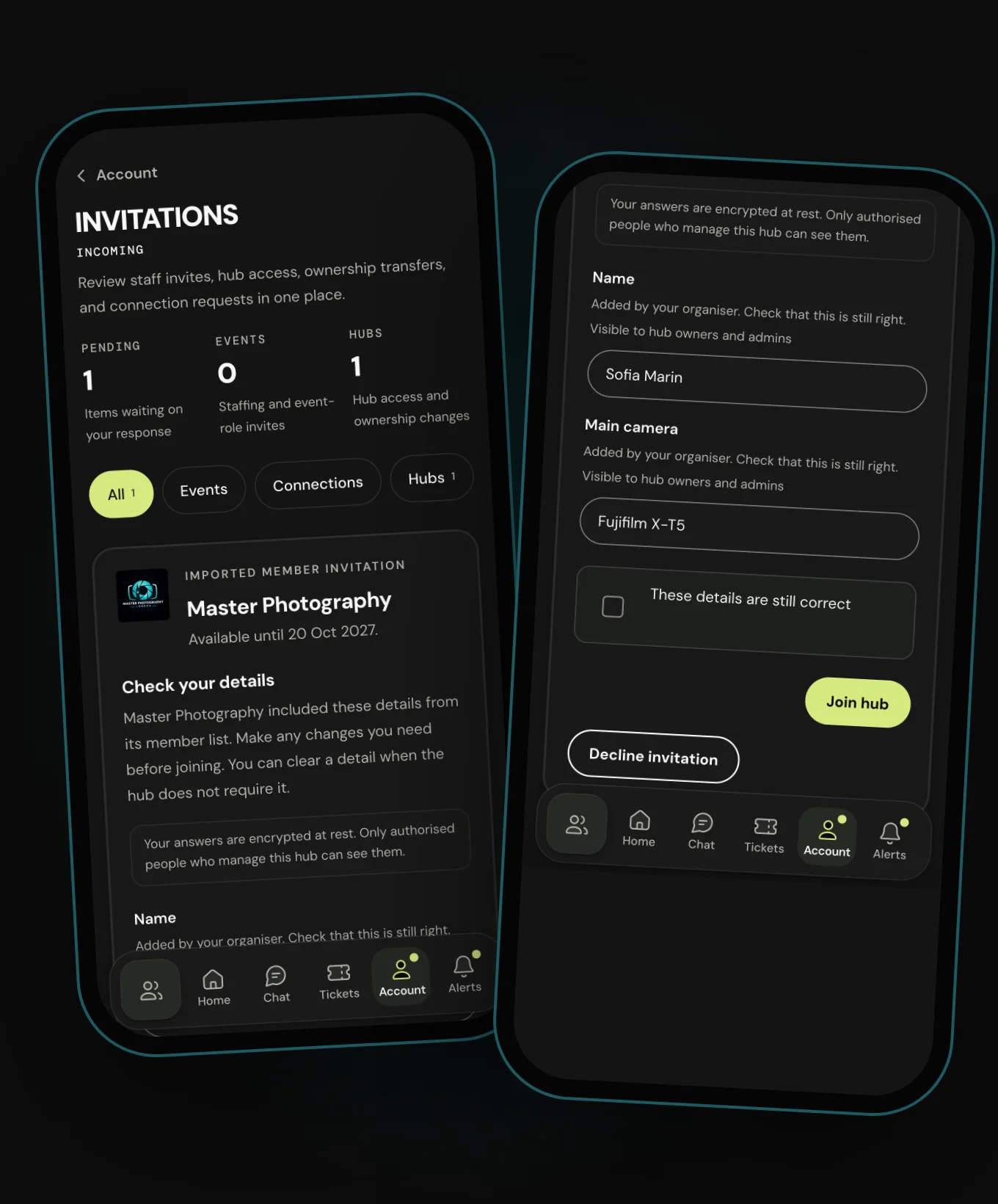
An Imported member invitation from your hub, with the date it's available until. Under Check your details are the member details you imported, each marked Added by your organiser.
They can change any detail, or clear one the hub doesn't require. Then they tick These details are still correct and press Join hub. Decline invitation is there too.
What must be true before they can join?
- They're signed in, with the imported email as their verified account email.
- The hub's bans and removals allow them to join.
- The invitation is still active and in date.
- They accept the hub's current terms, if it has any.
- They've checked the imported details and completed any the hub requires.
- They press Join hub.
If the hub changes its terms first, they accept the new version.
What if they don't want to join?
Decline invitation ends it and stops any unsent invitation email. They can still join later another way, such as a new invitation or an application.
Anyone can stop member import emails from that hub, without an account. The choice covers that hub and address only.
What happens in common situations?
- They sign in with a different email
- Hubbaly doesn't show or allow the invitation.
- Their account email changes before joining
- The old address stops working at once.
- The invitation email bounced
- They can still join through Hubbaly with the exact email.
- It expired or was revoked
- It no longer works, but the usual ways to join remain.
- They already joined
- Closing or expiry later can't remove them.
What it cannot do
- It can't join anyone who doesn't choose to.
- It can't be used with a different email address.
- It can't skip the hub's current terms.